
Free QR Code GeneratorFree Editable & Dynamic QR Codes for Every Use Case
Generate free editable QR codes for URLs, WiFi, vCards, text and more. Dynamic codes let you update the destination anytime — add custom colors, your logo, and unique shapes. No sign-up needed.
Location
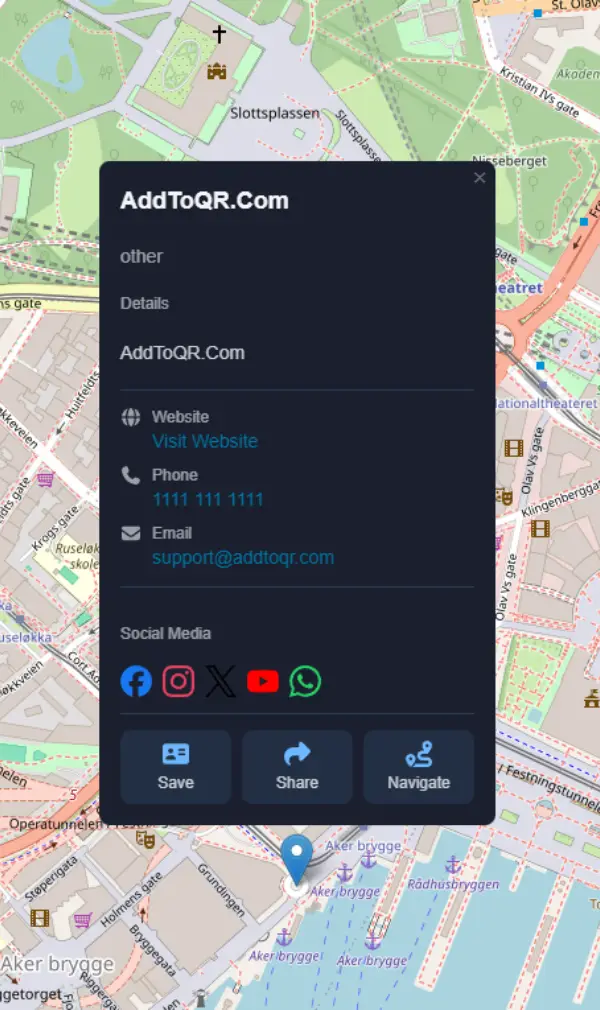
Generate a dynamic location QR code to share your address, store hours, and contact info — opens in an interactive map on any device.
Dynamic QR Code Generator
Choose between static and dynamic QR codes — both free to start
Static QR Codes
Perfect for permanent, one-time use cases. Once generated, the content is fixed and cannot be changed.
Dynamic QR Codes
Smart, flexible QR codes that can be updated anytime. Perfect for campaigns that need tracking and flexibility.
Which One Should You Choose?
We offer both static and dynamic versions for most of our QR code products, so you can choose what fits your needs best. All static products are completely free, and we offer free plans for all dynamic products too!
Choose static QR codes when you need something that never changes—like WiFi credentials, contact information, or product labels. They're perfect for one-time setup and permanent use cases.
Go with dynamic QR codes when you're running marketing campaigns, updating menus regularly, or need to track customer engagement. With dynamic codes, you can change the destination anytime, and all printed versions will automatically redirect to the updated content—no reprinting needed. They're ideal when you can't predict future changes or need insights on how your QR codes perform.
How It Works
Create your custom QR code in three simple steps
Choose Your Type
Select from URL, vCard, WiFi, Location, Text, and more. Pick static for simple needs or dynamic for advanced features.
Customize Design
Personalize colors, add your logo, choose patterns and shapes. Make your QR code match your brand perfectly.
Download & Share
Export as PNG, SVG, or PDF. Print your QR code on flyers, menus, or business cards — or share the link directly via email, messaging apps, or social media.
No credit card required • Free to start
Where People Use QR Codes
From restaurants to business cards — QR codes work everywhere
Restaurant Menus
Let guests scan to view your menu instantly
Business Cards
Share your contact details with a single scan
Events & Tickets
QR codes for check-in, schedules, and more
Marketing Campaigns
Track engagement on flyers, posters, and ads
Product Packaging
Link to instructions, warranties, or promotions
Education
Share resources, assignments, and class links
Frequently Asked Questions
Everything you need to know about QR codes
What is an editable QR code?
An editable QR code — also called a dynamic QR code — is a QR code whose destination or content can be changed after it has been printed or distributed. The printed code itself never changes; it redirects through a short link that you control from a dashboard. This means you can update the URL, contact details, or any other data at any time without reprinting.
Can I create a dynamic QR code for contact information?
Yes. AddToQR's vCard QR code generator creates a dynamic QR code that encodes your full contact details — name, phone, email, company, website, and address — in the vCard 3.0 format. When someone scans it, their phone prompts them to save your contact instantly. Because it's dynamic, you can update your contact information at any time without reprinting.
What is a QR code?
A QR code (Quick Response code) is a two-dimensional barcode that smartphones can scan to instantly open a URL, display contact details, connect to WiFi, show text, and more. They're used everywhere — from restaurant menus to product packaging to business cards.
How do I create a QR code for a URL?
Select the URL product from the slider above, paste your link, customize the design with your colors and logo, then download as PNG, SVG, or PDF. No sign-up required — the whole process takes under 30 seconds.
Are QR codes free to create?
Yes. All static QR codes on AddToQR are completely free with no account needed. Dynamic QR codes — which let you edit the destination after printing and track scan analytics — are also free to start on our free plan.
What is the difference between static and dynamic QR codes?
Static QR codes encode data directly — the content is permanent and cannot be changed after creation. Dynamic QR codes point to a short link that you can update anytime, so you can change where the QR code leads without reprinting it. Dynamic codes also provide scan tracking and analytics.
Can I edit a QR code after printing?
Only dynamic QR codes can be edited after creation. Because they redirect through a short link, you can update the destination URL or content anytime from your dashboard — without changing the printed code. Static QR codes cannot be edited once generated.
What file formats can I download my QR code in?
You can download your QR code as PNG (for digital use), SVG (scalable vector for print), or PDF. SVG and PDF are ideal for high-quality printing on flyers, menus, or banners because they scale to any size without losing quality.
Do I need to sign up or create an account?
No account is required to generate and download a static QR code. Creating a free account unlocks dynamic QR codes, scan analytics, saved designs, and your personal media library.
Ready to Create Your Free QR Code?
No sign-up needed. Custom colors, logos, and shapes — download in seconds or share via link instantly.
No credit card • No account required • PNG, SVG & PDF export