
How to Create a QR Code for a URL in 30 Seconds (Free)
Creating a QR code for a URL takes under 30 seconds. Paste your link, the QR generates instantly, customise the design if you want, download. That is the whole process. This guide walks you through each step and shows you what the designer can do so you know exactly what to expect.
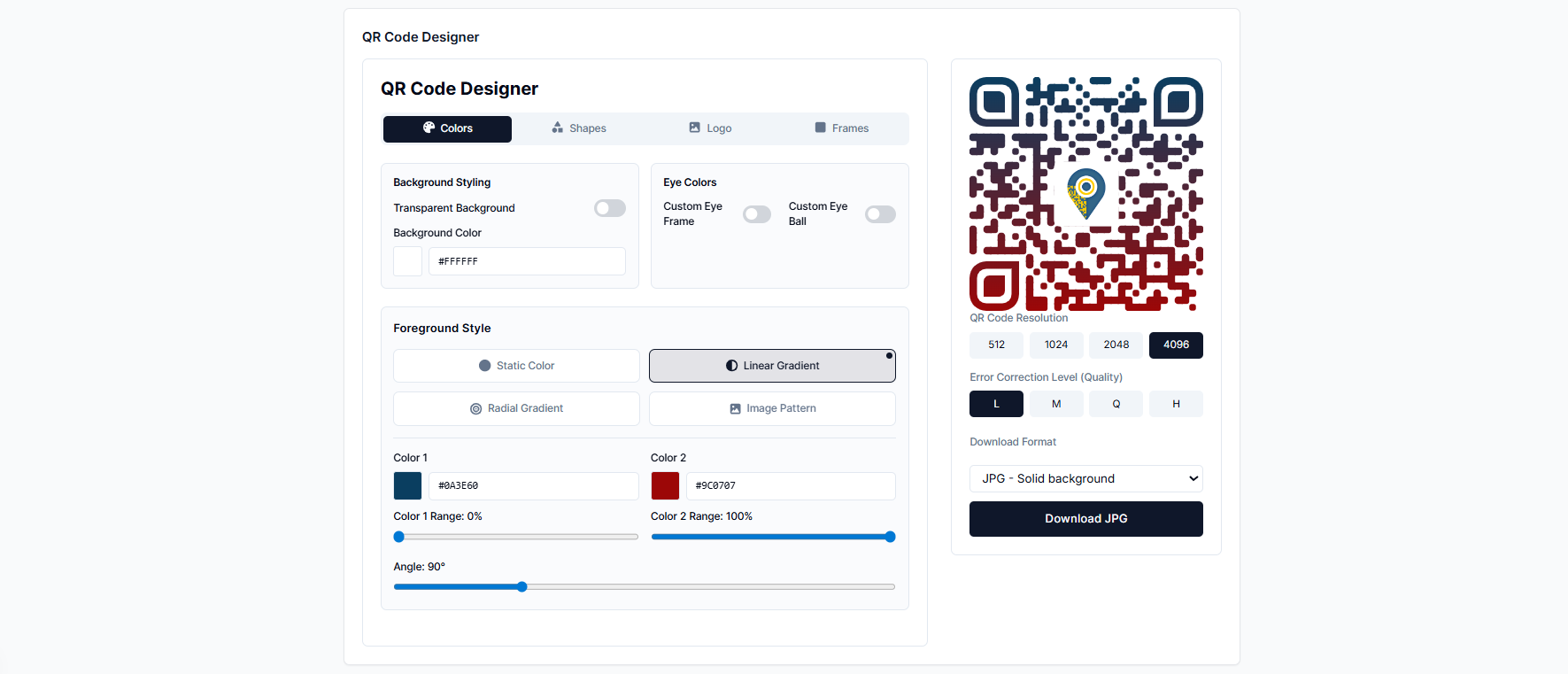
Table of Contents
How to create a URL QR code — step by step
Go to addtoqr.com/products/url-qr-code
No account needed for a free static QR code. The URL tool opens directly — no home page navigation required.
Paste your URL
Type or paste the website address you want the QR code to point to. The QR code preview renders in real time as you type — you can watch it update with every character.
Pick a design preset (or customise your own)
The designer generates ready-made colour combinations automatically. Click one to apply it instantly, then fine-tune further if you want — or build your own colours from scratch using the colour picker. Prefer a plain default? The black-and-white QR code is always one click away.
Adjust shapes, logo, or frame (optional)
Use the design tabs to go further: switch dot shapes, upload your logo, or add a call-to-action frame around the code. All changes are reflected live in the preview.
Download
Click Download to save as PNG (works for digital use and standard printing) or SVG (vector format, ideal for large-format or high-resolution printing). No watermarks, no strings attached.
That is the whole process.
Steps 1–2 take about 5 seconds. Steps 3–4 are optional — skip them and you are done in under 10 seconds. The design steps add maybe 20 seconds on top if you want something that actually looks good.
Customising the design
Colors · Shapes · Logo · Frames
The designer is split into four tabs. Each one controls a different part of the QR code's appearance. You can use all four, just one, or none — the QR code is valid either way.
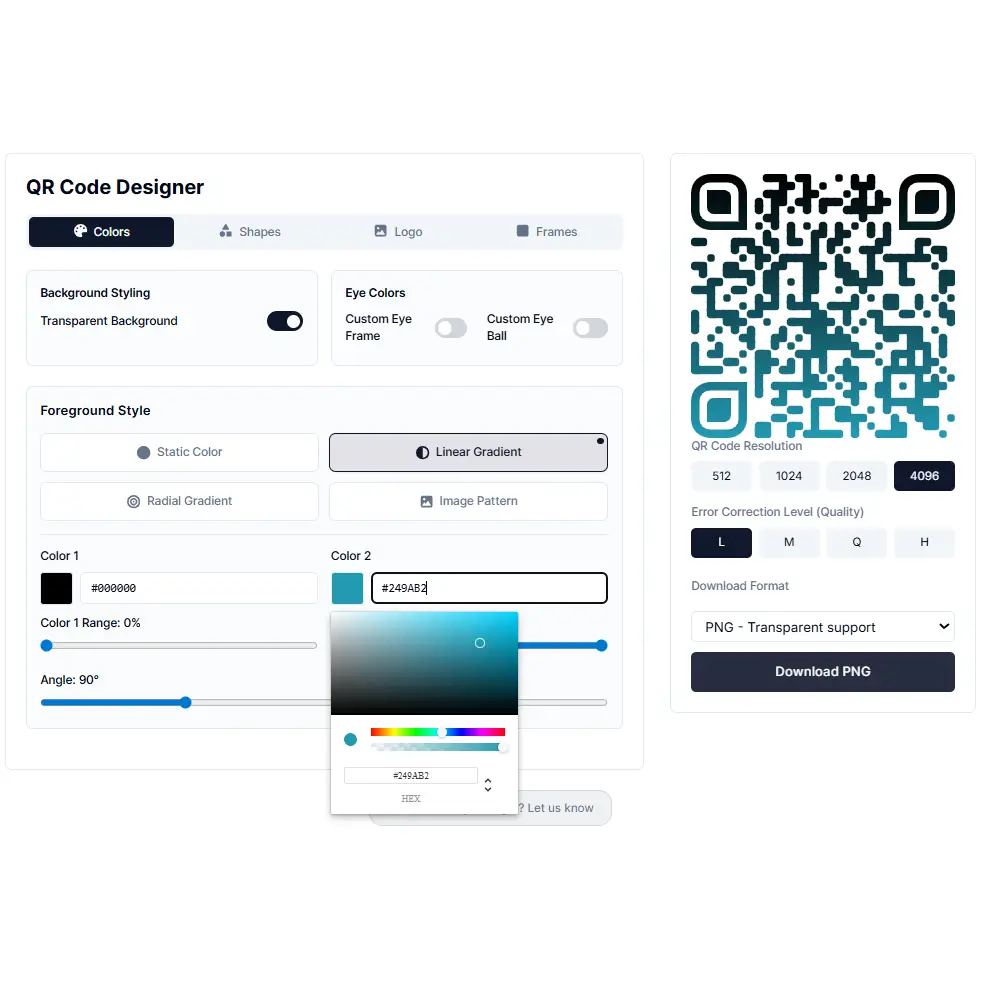
Colors
Choose a solid colour or a gradient (linear or circular). You can also set separate colours for the three corner markers and their inner dots. The simplest path: click one of the auto-generated preset combinations and move on.
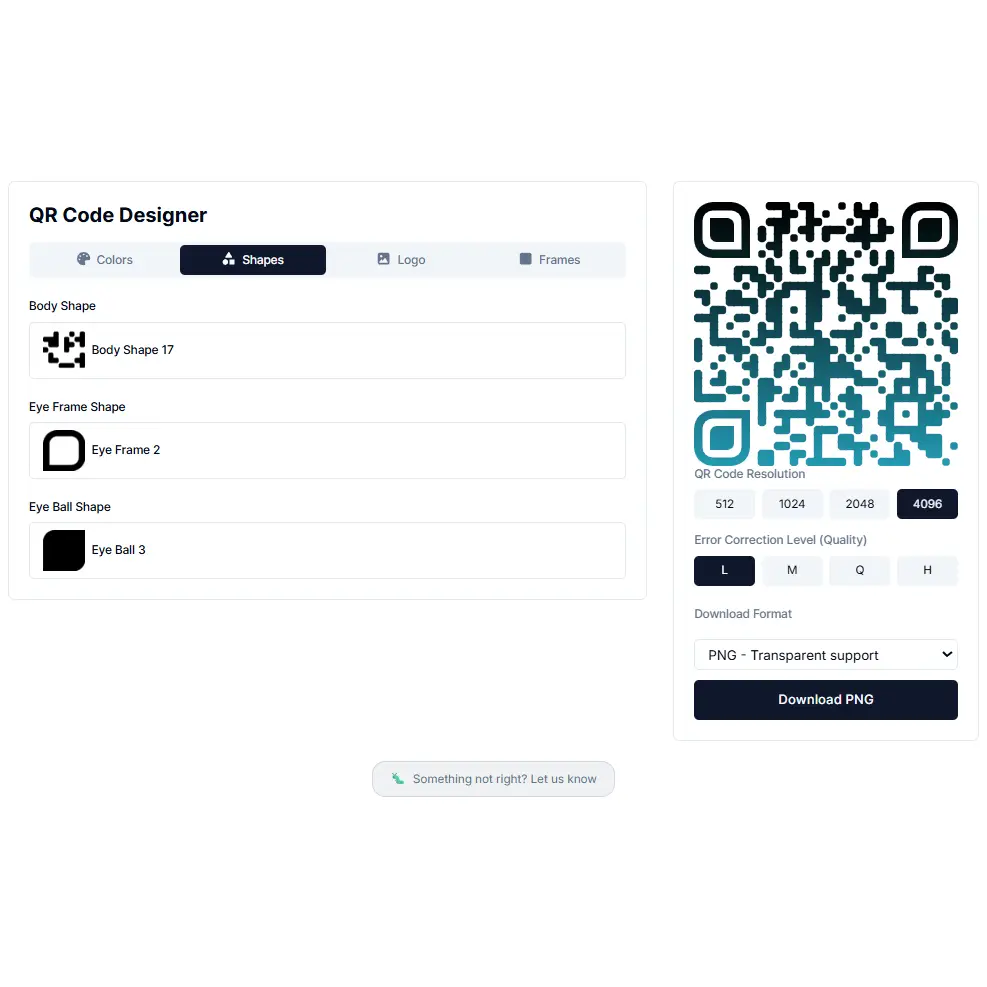
Shapes
The individual dots in a QR code do not have to be square. Pick from rounded, circular, diamond, and other styles. The corner markers can be styled separately. Dot shape is the biggest single factor in whether a QR code looks custom or generic.
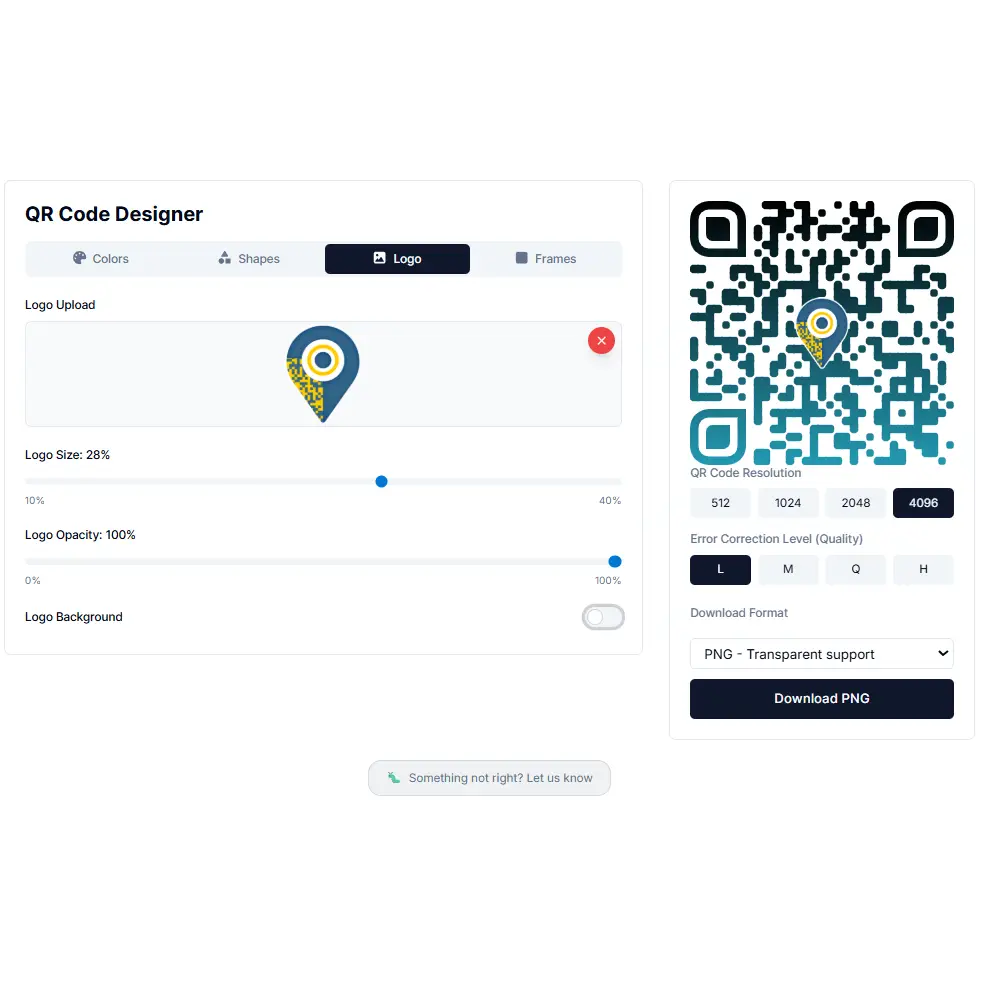
Logo
Upload your own logo or image and it embeds in the centre of the QR code. Error correction automatically increases when a logo is added, so the code stays scannable even with the centre covered. You can also pick a logo frame — a decorative border that makes the logo placement look intentional rather than dropped in.
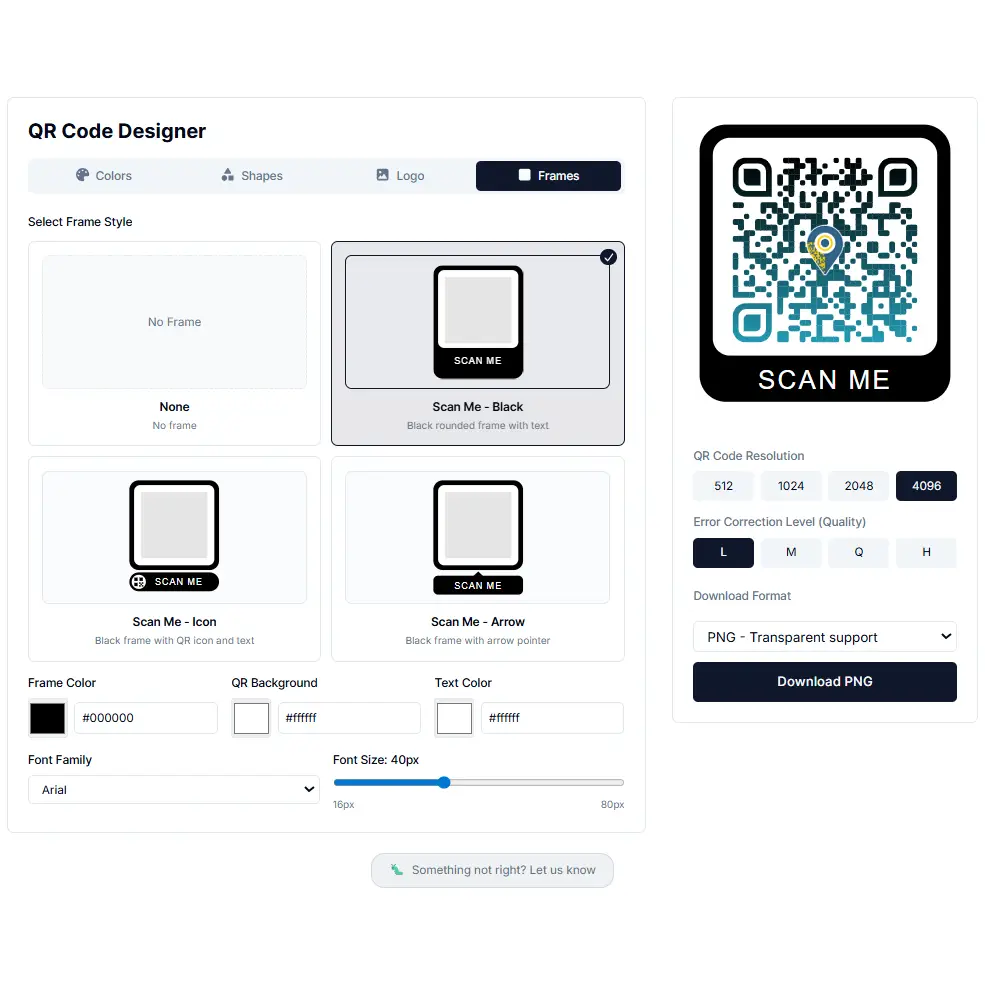
Frames
A frame goes around the outside of the QR code and can include a short label — "Scan me", "Visit our site", or your own text. Optional, but on printed materials a clear call-to-action noticeably increases scan rates.
Static vs dynamic — which one for a URL?
A static QR code encodes the URL directly into the QR pattern. If the URL changes, the code stops working — you need to generate a new one and reprint.
A dynamic QR code encodes a short redirect instead. You control where that redirect points from your dashboard and can update it anytime — the printed QR code never changes.
Use static if:
- — The URL will never change
- — You do not need scan analytics
- — You do not want to create an account
- — It is a one-time or short-run use
Use dynamic if:
- — The URL might change
- — You are printing at scale (flyers, packaging)
- — You want scan analytics
- — It is for an ongoing campaign
Rule of thumb: if you are printing more than a handful of copies and there is any chance the destination changes, use dynamic. Reprinting 500 flyers costs more than a Pro plan.
Other QR code types
If a URL QR code is not quite what you need, AddToQR has dedicated products for other use cases — each with its own input form built for that specific data type:
Frequently asked questions
Do I need to create an account?
No. Static QR codes are generated and downloaded without an account. Dynamic QR codes — with redirect editing and scan analytics — require a free account.
What file formats can I download?
PNG, SVG, and JPG. PNG works for most digital and print uses. SVG is vector-based and scales without quality loss — better for large-format print. JPG is useful when a smaller file size is needed for web or email.
Will the QR code ever expire?
Static QR codes do not expire — they are just a pattern that encodes your URL. Dynamic QR codes are active as long as your account is active.
Is there a watermark on the QR code?
No. There are no watermarks on any QR code generated with AddToQR, free or paid.
Can I change the URL after downloading?
Only on dynamic QR codes. With a static code, the URL is baked into the pattern — changing it means generating a new code.
Ready to create your QR code?
Free, no sign-up required. Download as PNG or SVG.
Create a URL QR Code — Free